

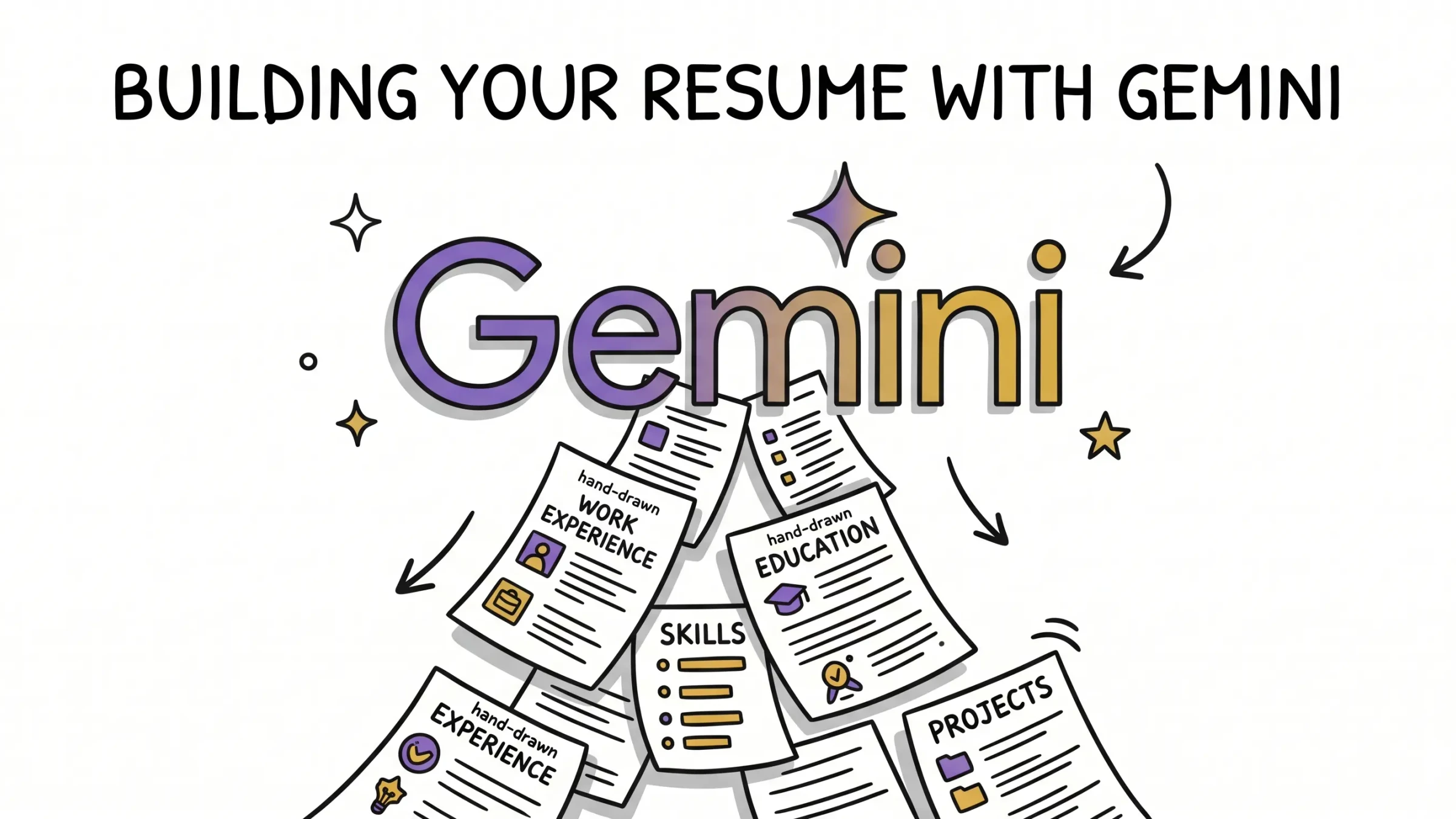
Sarah spent three hours prompting Google Gemini to perfect her resume summary, only to receive a rejection email four minutes after submitting it to an online portal. While generative AI makes writing easier, copy-pasting raw outputs from Gemini is the fastest way to trigger applicant tracking systems (ATS) filters and get your application rejected.
This is the reality of the modern job search. The process of making a resume has shifted from a test of formatting skill to a battle against algorithms. If you are using Gemini to write a resume, you are taking a step in the right direction—but if you stop there, you might be setting yourself up for disappointment. In this guide, we will look at how to build a resume with Gemini, the critical reasons why raw AI-generated resumes get rejected, and how you can optimize your resume to pass the recruiter's filters and land your dream job.
The Allure of Using Gemini to Write a Resume
For many job seekers, the hardest part of writing a resume is staring at a blank screen. Trying to summarize years of professional achievements into a few bullet points is intimidating, which is why AI resume writer assistants have become so popular.
Overcoming Writer's Block in the Job Search
Writing about yourself is notoriously difficult. It is easy to undersell your achievements or get stuck using the same repetitive verbs. By using an AI writer, you can easily brainstorm how to describe your work experience. Instead of struggling to find the right words, you can provide a list of your daily tasks and let the AI generate professional summary suggestions.
Speed and Efficiency
In today's fast-paced modern job market, you cannot rely on a single, generic resume. You need to tailor your resume for the job you are applying to. If you are applying to dozens of roles, writing a job-specific resume manually for each one is exhausting. A free resume builder like Google Gemini allows you to draft new resumes and write cover letters quickly, reducing the time spent on writing your resume from hours to minutes.
Step-by-Step: How to Build Your Resume with Gemini
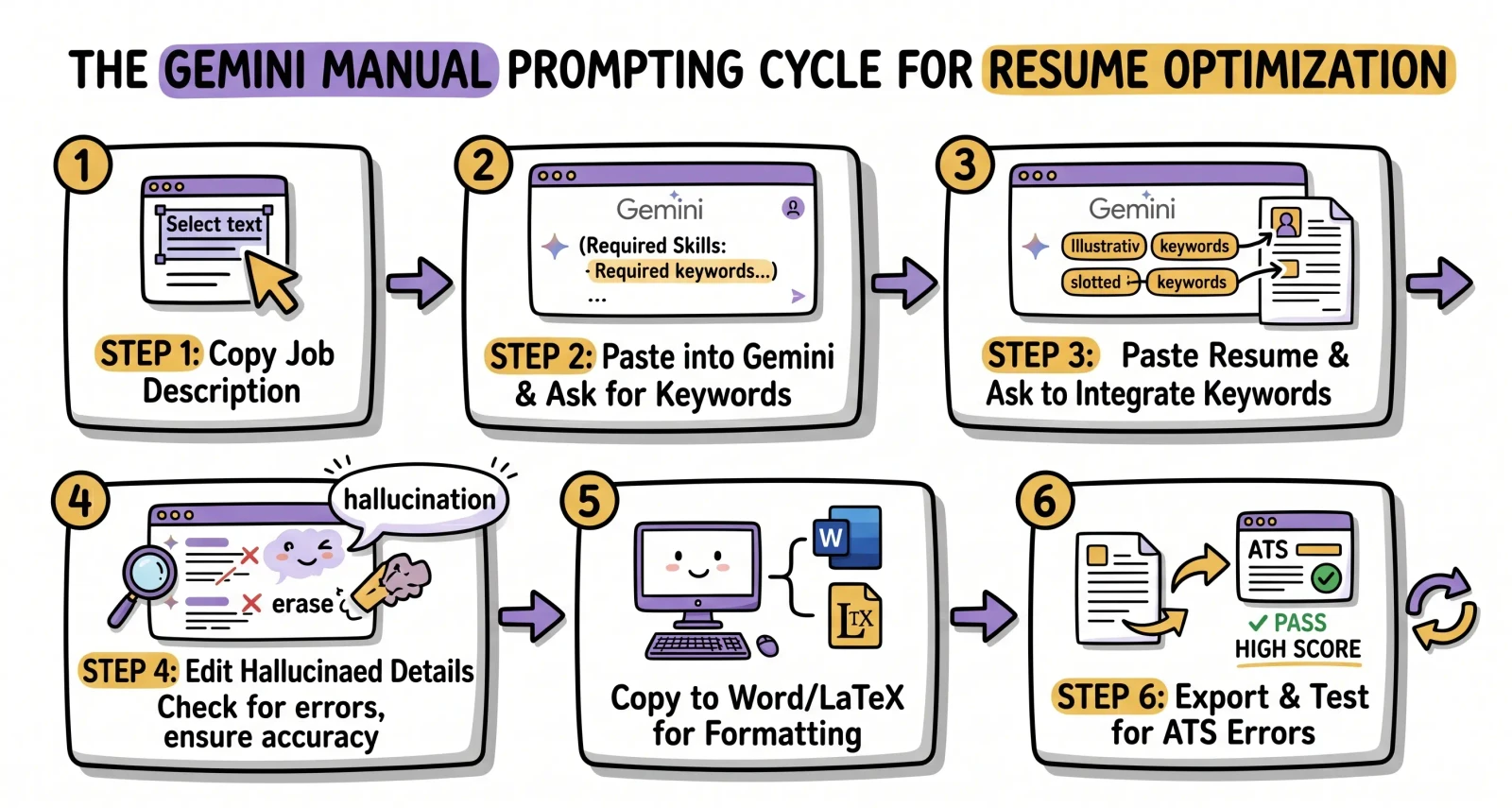
If you want to use a general-purpose AI builder like Gemini to write your resume, you need to use a structured prompting workflow. Simply asking the AI to "write a professional resume for a software engineer" will result in a generic, cliché-ridden document. Here is the step-by-step process to get the best resume content from Gemini.
Step 1: Setting the Context with the Job Description
Before asking Gemini to write anything, you must establish the context. You need to tell the AI what role you are targeting and what the employer is looking for. Copy and paste the specific job description into the prompt.
Prompt Example:
"I am applying for the job title [Insert Job Title] at [Insert Company Name]. Here is the job description: [Paste Job Description]. Please analyze this job description and list the top 5 key skills, required work experience, and industry-specific keywords that the recruiter is looking for."
Step 2: Feeding Your Work Experience and Resume Data
Next, you need to upload your existing resume or provide the raw details of your career history. If you do not have an existing draft, write out your work history in simple bullet points, including your job titles, company names, employment dates, and main achievements.
Prompt Example:
"Here is my current resume data: [Paste Resume Content or Work History]. Based on the job description analysis we just did, identify which sections of my resume are most relevant to the role, and highlight the skill gaps I need to address."
Step 3: Prompting for Specific Resume Sections
Do not ask Gemini to write the whole resume at once. Large language models perform much better when they focus on one section of your resume at a time. Start with your professional summary, then move to your experience section.
Prompt Example for Resume Summary:
"Write a 3-4 sentence resume summary based on my background that highlights my expertise in [Key Skill 1] and [Key Skill 2], tailored to the job description provided. Avoid generic phrases and keep the tone professional yet active."
Prompt Example for Work Experience Bullet Points:
"Rewrite the bullet points for my role as [Insert Job Title] at [Insert Company]. Focus on accomplishments rather than basic duties. Use action verbs and include metrics where possible. Ensure you naturally integrate the following keywords: [List 3-4 keywords from Step 1]."
Step 4: Reviewing and Refining the Text
Once Gemini outputs the text, your job is far from over. AI-generated text is often overly formal or uses predictable transitions. You must review the draft to simplify the language, replace generic filler words, and verify that all dates and numbers are accurate.
The Hook Scenario: Why Gemini Resumes Fail the ATS Check
Many job seekers assume that because a resume looks clean and reads well, it is ready to send. However, as Sarah discovered in our opening story, a resume that reads well to a human might be completely unreadable to an applicant tracking system.
Understanding Applicant Tracking Systems (ATS)
Before a hiring manager ever looks at your application, it must pass through an ATS. These database systems scan, parse, and rank resumes based on how closely they match the job description. If you want to ensure your formatting and keywords are perfect, using an ATS resume optimizer is the safest way to pass these initial scans.
The Pitfalls of Raw Gemini Outputs
While Gemini is a powerful tool, relying on its raw outputs for job applications is highly risky for three key reasons:
- Generic Bullet Points and Buzzwords: Gemini loves to use clichés. Phrases like "spearheaded cross-functional synergy" or "leveraged next-generation paradigms" are instant red flags to both ATS parsers and human recruiters. They clutter your resume content without adding real value.
- Hallucination Risks: Generative AI models are designed to generate plausible-sounding text, not necessarily factual truth. If you ask Gemini to write accomplishments with metrics, it may hallucinate fake numbers, project details, or software names that you have never used. Submitting a resume with inaccurate data can ruin your credibility.
- The Formatting Trap: This is the most common reason resumes get rejected. Gemini outputs text in raw Markdown format. When you copy and paste this text into a Word document or Google Doc, the formatting often breaks. Hidden formatting characters, nested tables, and custom bullet symbols can turn your resume into unreadable garbage when processed by an ATS.
What Actually Triggers an ATS Formatting Error?
It is not just about the words on the page; it is about how the parser reads them. Many job seekers use templates with columns, tables, or text boxes because they look modern. However, standard ATS parsers often read multi-column layouts horizontally (mixing the left and right columns together) or skip text boxes entirely—which means your experience section could end up completely blank in the recruiter's system. Additionally, putting vital contact details in the header or footer of a Word document is a major risk, as many systems ignore headers and footers during the parsing process.
To keep your format safe, stick to standard, clean layouts and use ATS-friendly fonts like Arial, Calibri, Georgia, or Helvetica. Avoid graphics, progress bars, or skill gauges, which parser systems read as uninterpretable noise.
PDF vs. Word (DOCX): Which is Better?
For years, job seekers were told to never submit a PDF because early ATS software struggled to read them. Today, things have changed. Modern applicant tracking systems parse vector PDFs (PDFs generated directly from a text document) perfectly well. However, you must avoid "image PDFs"—scanned copies of a printed page—since parsers cannot read image files. A high-quality PDF preserves your formatting across different computers, making it a reliable choice. When in doubt, or if the application portal specifically asks for it, submit a clean DOCX file.
The Risk of Over-Tailoring
While tailoring your resume is critical, there is a dangerous line between optimizing and over-tailoring. If you blindly copy and paste every keyword from the job description, your resume will read like a robotic checklist. Remember, once the ATS ranks your resume, a human recruiter will read it. If your content sounds unnatural or repetitive, it will be rejected. Use AI to contextualize your actual achievements using the job's industry-specific language, rather than stuffing keywords where they don't belong.
The Double-Edged Sword of Free Resume Writing
Using a free tool like Gemini seems like a cost-effective way to improve your resume, but if your resume gets rejected by every applicant tracking system, it ends up costing you time and job opportunities. Without specialized anti-hallucination guardrails and native formatting templates, a generic chatbot is a double-edged sword.
Gemini Chat vs. Specialized AI Resume Builders: A Comparison
If you want to land interviews in a competitive market, you need to understand the difference between using a general-purpose AI writer and a dedicated online resume builder built specifically for career optimization. If you're looking at different tools on the market, checking out a comparison of the best AI resume tailoring solutions can help you decide which features match your needs.
| Feature | Google Gemini Chat (Raw LLM) | Dedicated AI Resume Builder (Reztune) |
|---|---|---|
| Tailoring Workflow | Manual, prompt-by-prompt tailoring | Automated, one-click AI resume tailoring |
| ATS Formatting | Raw text; prone to formatting errors | Pre-formatted, ATS-optimized templates |
| Verification & Insights | No feedback on keyword density or gap analysis | Real-time resume checker and skill analysis |
| Application Management | None | Integrated job application tracking tools |
| Precision Pipeline | Single prompt generation | 60+ prompt pipeline optimized for HR metrics |
| Cover Letter Match | Generates standalone text | Creates matching cv and cover letter sets |
Prompt Engineering vs. Automated Pipelines
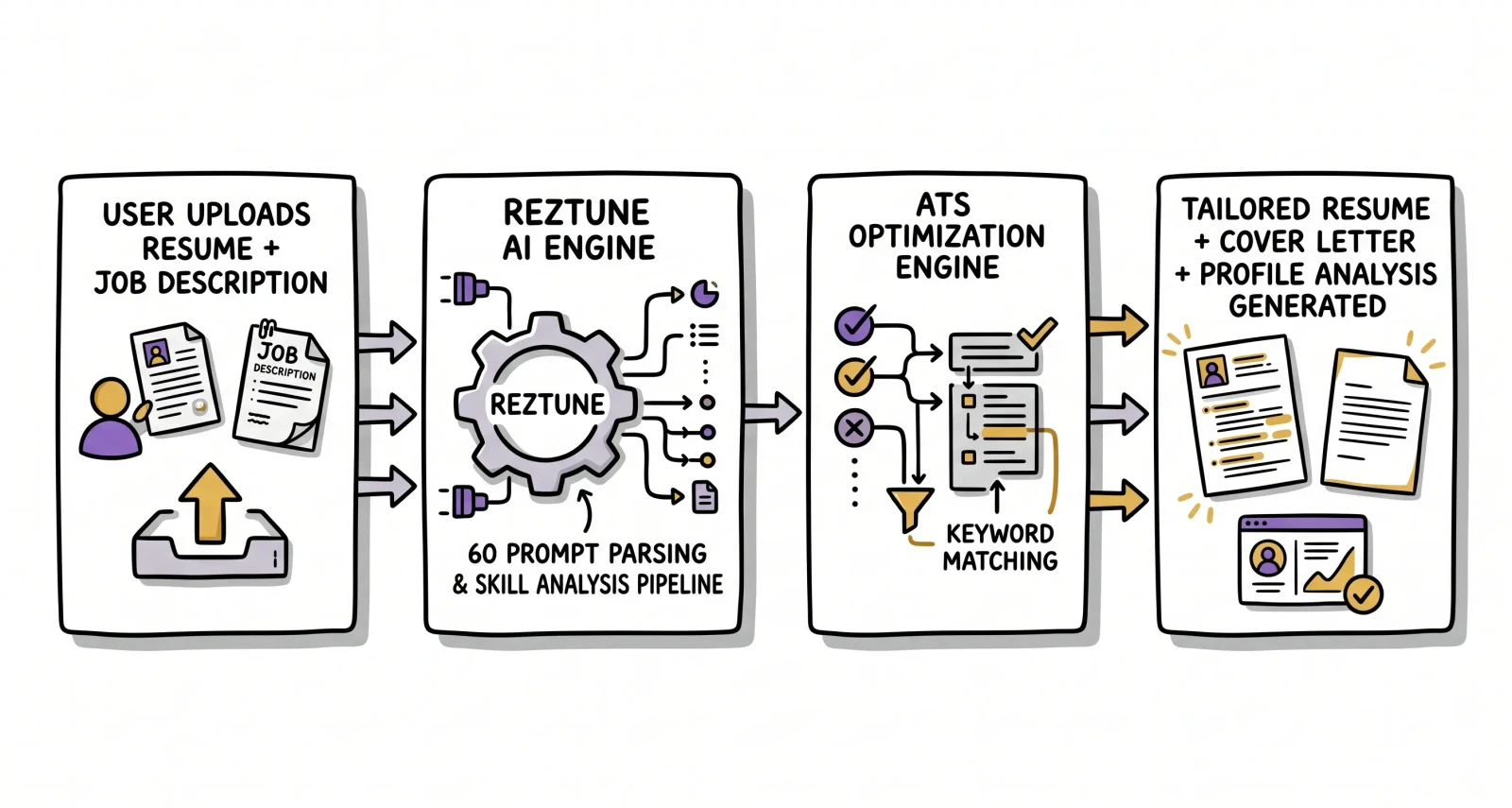
To get a decent resume out of Gemini, you have to spend hours learning prompt engineering, adjusting context, and manually checking for keyword integration. In contrast, specialized tools like Reztune run your resume and the job description through a sophisticated pipeline of approximately 60 distinct prompts. Each prompt is designed to optimize a specific element of your resume, ensuring maximum keyword relevance and structural flow without making up fake information.
Flat Text vs. Interactive ATS-Friendly Resume Templates
When you use a dedicated AI resume builder, you don't have to worry about copy-pasting markdown or fixing broken spacing. Tools like Reztune provide customizable resume templates that are pre-tested to ensure they pass applicant tracking systems. You can download your resume as a clean PDF in a functional resume format that is guaranteed to parse correctly.
Beyond the Resume: Generating AI Cover Letters and Application Tracking
Getting a job requires more than just an excellent resume. You also need to submit a tailored cover letter and manage your pipeline of applications.
Tailoring Your Cover Letter to Match Your Resume
A strong job application is cohesive. Your resume and cover letter should tell the same story and highlight the same key strengths. Using an AI cover letter builder that integrates directly with your resume data ensures that your cover letter generator matches the tone, style, and professional experience listed on your resume, providing a unified package for the interviewer.
Tracking Job Applications Without the Stress
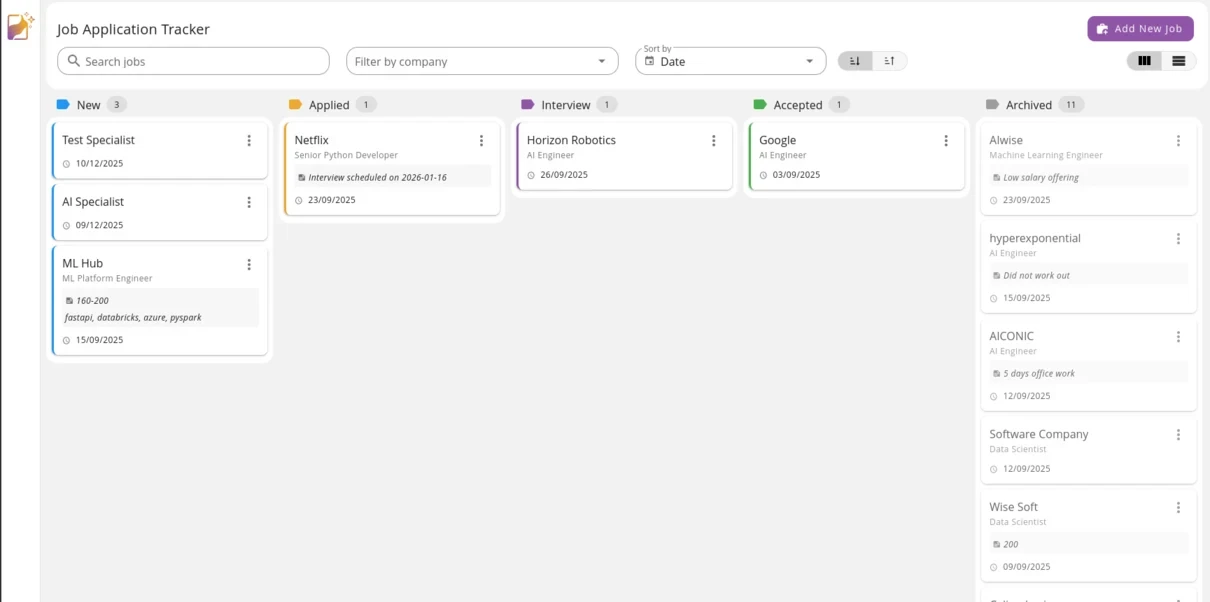
Applying for jobs is a numbers game, but it is easy to lose track of which resume version you sent to which company. Successful job seekers use structured tracking tools to manage their applications. Instead of getting overwhelmed, you can use our free job application tracking spreadsheet to organize your search, monitor application dates, job titles, status updates, and follow-ups.
How to Land Your Dream Job with Reztune
If you are tired of spending hours prompting Gemini only to face silent rejections, it is time to upgrade your job search strategy. Reztune is an AI-powered resume builder designed to take the guesswork out of resume writing.
One-Click Resume Tailoring
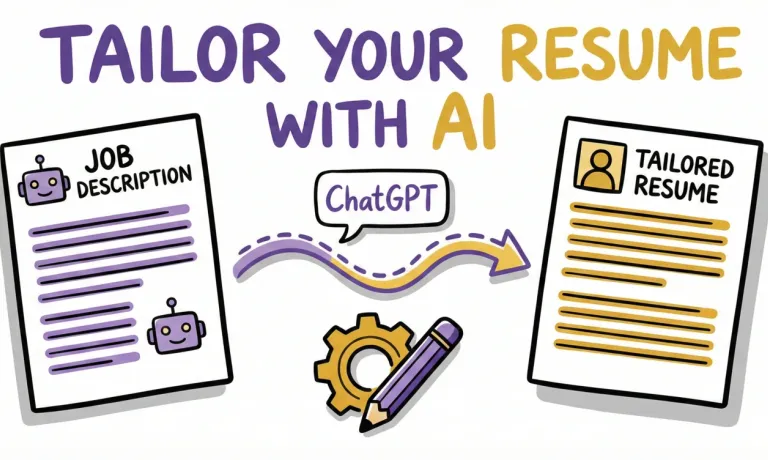
With Reztune, you can upload your existing resume, paste the job description, and watch the AI restructure and optimize your resume for that specific job description in a single click. The tool evaluates your background, extracts required skills, and contextually integrates target keywords into your experience section.
Skill Analysis and Gap Identification
Reztune goes beyond simple editing. It analyzes the job description to identify critical skills or certifications you might have missed. It then provides suggestions on how to further improve your resume, helping you highlight your most relevant experience and stand out to the hiring manager.
Full Job Search Suite
Reztune provides a complete set of tools to support you from application to offer. This includes:
- ATS-Friendly Resume Templates: Choose from a variety of professional templates that look great and parse perfectly.
- AI Cover Letter Writer: Instantly generate a personalized cover letter tailored to the target role.
- Interview Preparation: Get ready for the interviewer with tailored questions and answers generated specifically for the job and your resume.
- Privacy & Data Control: Enjoy encrypted data and complete control over your personal information.
- Flexible Pricing: Access premium features with flexible options, including both budget-friendly subscriptions and one-time purchases.
Ready to stop struggling with manual prompting and start landing interviews? Sign up for Reztune today and create your ATS-optimized resume in minutes. Don't let a generic AI draft hold you back from landing your dream job.
FAQ
Here are answers to some of the most common questions job seekers ask when optimizing their resumes with artificial intelligence.
Can recruiters detect if I used Gemini to write my CV and cover letter?
Recruiters are increasingly using tools to detect robotic AI content. If you copy and paste raw AI outputs, they will recognize the repetitive phrasing and generic keywords. However, tools that help you upload your existing resume and optimize it specifically for a role write much more naturally. The key is to refine your cv and cover letter to ensure they reflect your unique human voice and real achievements.
How do I make my resume ATS-friendly using an online resume builder?
To make your resume pass applicant tracking systems, you should use a clean, single-column functional resume format and avoid images or complex tables. While general chatbots output unformatted text, using a dedicated online resume builder like Reztune ensures that your final document uses pre-tested, ats-friendly resume templates that parse correctly. This guarantees recruiters see your actual skills instead of a formatting error.
Is there a free to use AI resume builder that actually works?
Most AI tools claim to be a free resume builder, but they often hide PDF downloads behind paywalls or generate generic content. If you want to create an excellent resume without paying upfront, look for platforms that offer a clear pricing structure with a high-quality free trial. A dedicated ai-powered resume builder will help you build, format, and audit your resume before you download it for your job application.
Can I use my LinkedIn profile to tailor my resume?
Yes! Many job seekers copy their work history directly from their LinkedIn profile to use as the base for their resume. In the resume builder, you can input this work history, paste the job description, and let the AI tailor your summary and work experience for that specific job title, making the job application process much faster.