

Open your CV, copy all the text, and paste it into a blank Notepad file. If it looks like a jumbled mess of code, strange symbols, and broken sentences, you just found out why you aren't getting hired.
An Applicant Tracking System (ATS) reads your CV exactly like that Notepad file does - and if it can't read your skills, it can't rank you. You could be the most qualified candidate in the pile, but if your formatting confuses the digital gatekeeper, your application ends up in the "digital trash" before a human ever sees it.
In this guide, we’ll walk through the ultimate ATS optimisation checklist. We will cover how these systems think, how to test your CV instantly, and the exact formatting rules you need to follow to ensure your hard work actually reaches a human eye.
What is an ATS (and why you need to Optimise Your CV)?
Before we fix the CV, we have to understand the "robot." An Applicant Tracking System (ATS) is software used by over 99% of Fortune 500 companies to filter applications. Companies receive hundreds of applications for a single open role; they simply do not have the manpower to read every single PDF.
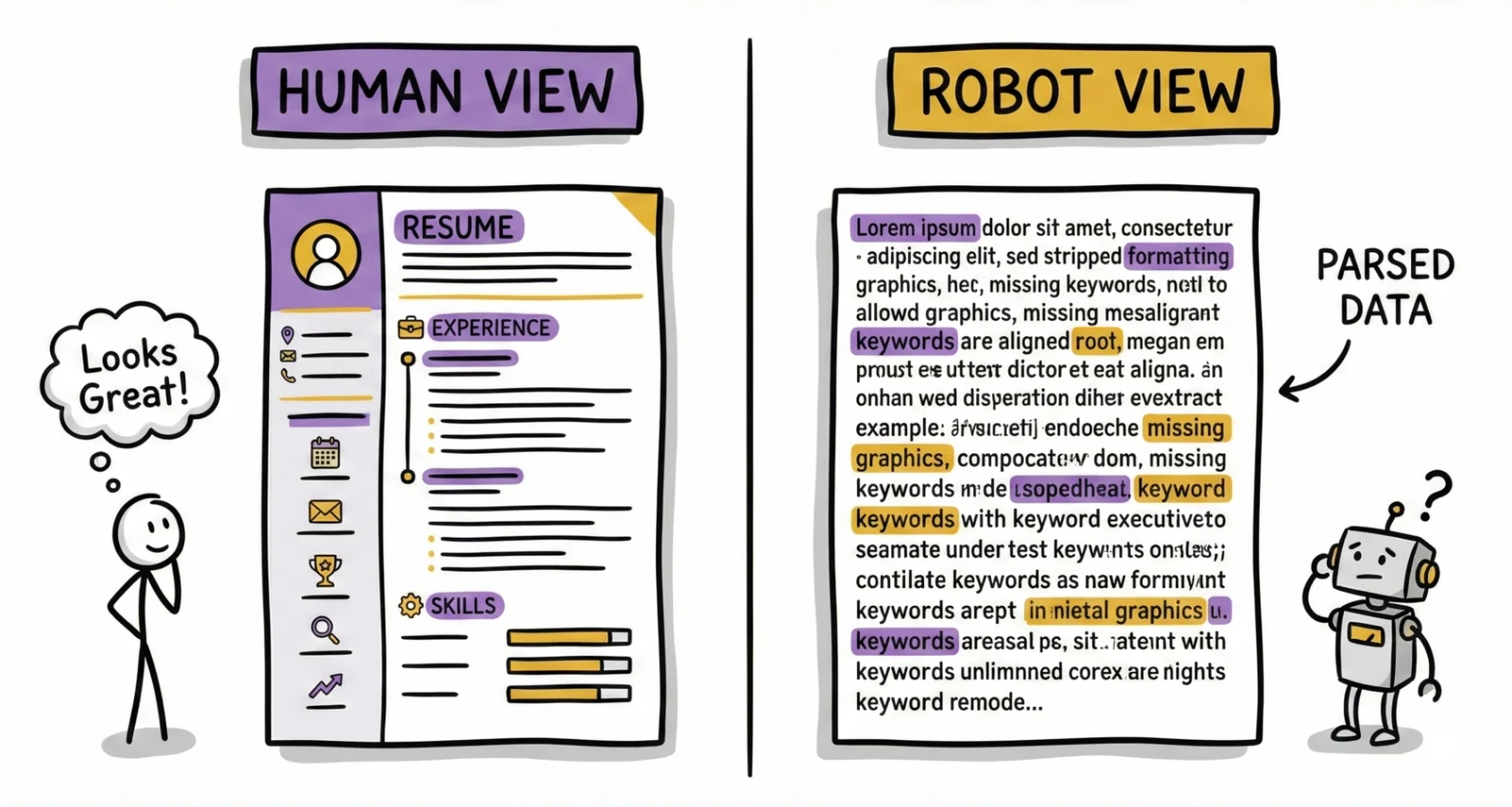
Instead, the ATS acts as a filter. It doesn't "read" your CV like a human hiring manager does, admiring your layout or your creative color scheme. It parses it. This means it breaks your document down into raw data, looking for specific information to populate a database profile: Name, Contact Info, Work History, Education, and Skills.
The Parsing Problem
The disconnect happens during this parsing phase. When you upload your fancy PDF with two columns, sidebars, and icons, the ATS tries to strip the text out. Complex formatting confuses the parser. For example, if you use a two-column layout, an older ATS might read the text straight across both columns, merging your "Skills" section on the left with your "Work History" on the right. The result is a nonsensical sentence that tells the recruiter you are "Proficient in Python Managed a team of 10."
Keywords vs. Formatting
Most candidates obsess over keywords - "Did I say 'Project Management' enough times?" - but formatting is the true gatekeeper. You could have every right keyword, but if the ATS can't read them due to a text box or a graphic, you score a zero. Optimisation is a two-step process: first, ensure the data is readable (formatting); second, ensure the data is relevant (keywords).
The "Notepad Trick": How to Test Your CV Instantly
We started with this hook, but let's make it a formal diagnostic test. This is the quickest, freest way to see what the ATS sees.
- Open your CV file (PDF or Word).
- Select All (Ctrl+A / Cmd+A) and Copy (Ctrl+C / Cmd+C).
- Open a plain text editor (Notepad on Windows, TextEdit on Mac).
- Paste (Ctrl+V / Cmd+V).
Analyze the result:
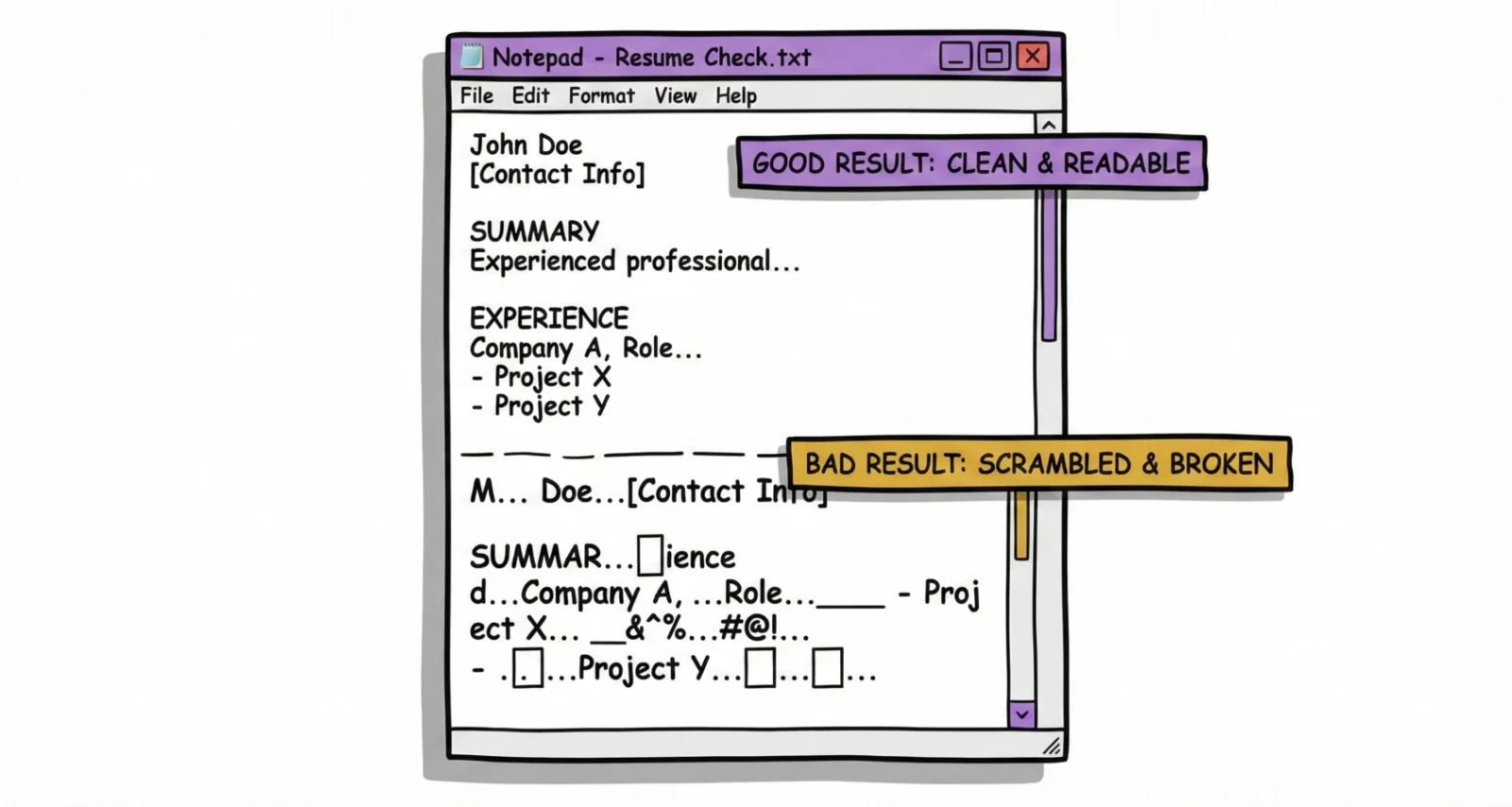
- Good Result: The text is clean, readable, and follows the correct logical order (Contact Info -> Summary -> Experience). Bullet points might look like simple dashes or dots.
- Bad Result: Sentences are cut off mid-way. Sections are jumbled - for example, your contact information appears at the bottom, or your skills are mixed into the middle of a job description. Weird characters or empty boxes appear where icons used to be.
If your CV failed the Notepad Trick, it is currently invisible to many ATS scanners. You need the checklist below.
The Ultimate ATS Optimisation Checklist (Manual Guide)
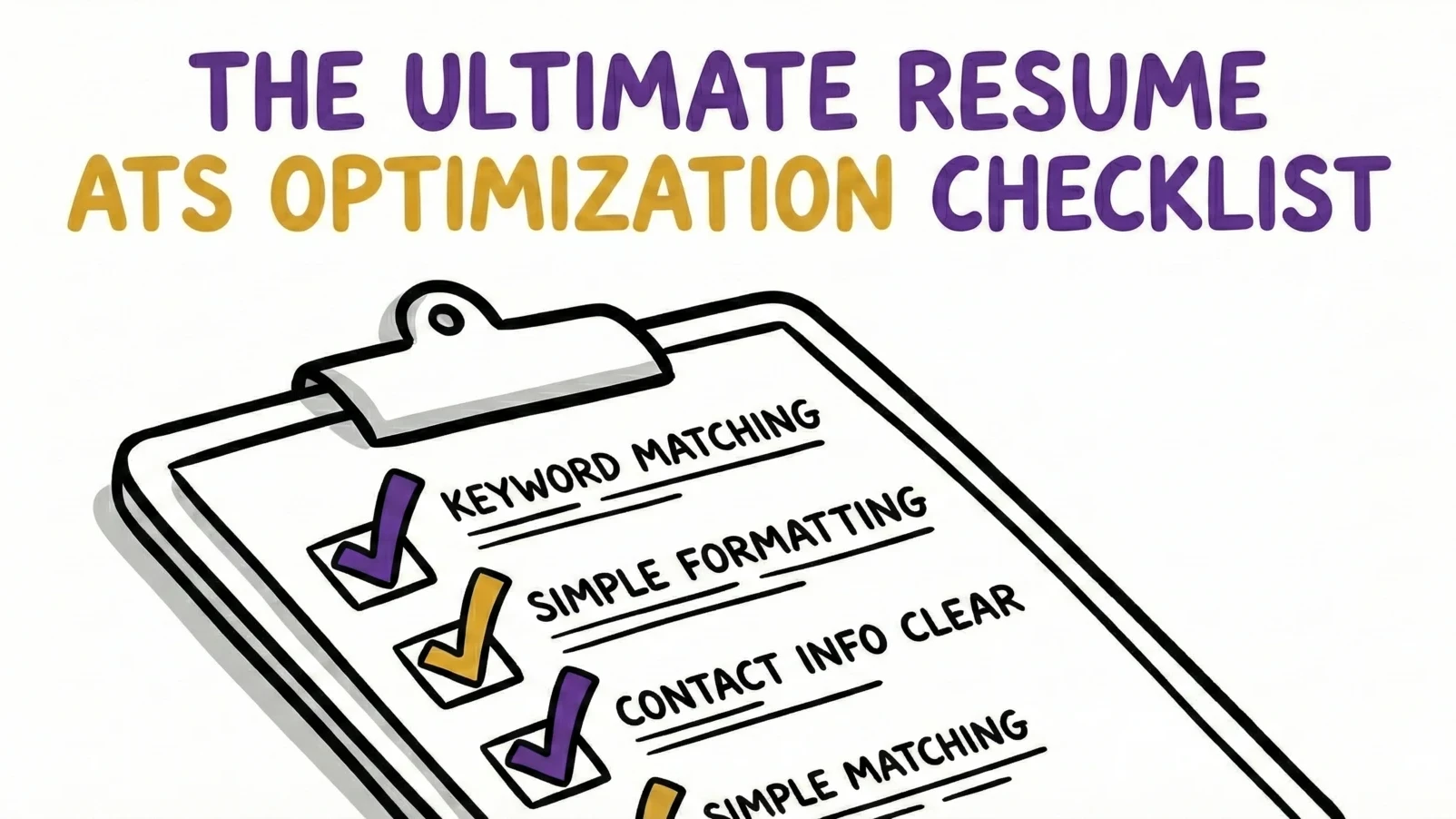
Follow these rules to ensure your CV is parser-friendly. This "boring" version of your CV is your passport to the interview; you can bring the pretty version with you when you meet them in person.
1. File Format: Word vs. PDF
There is a long-standing debate here. In the past, Word documents were safer for parsing. However, modern ATS technology has evolved, and PDFs are now the gold standard for preserving your design and formatting across all devices.
| Feature | PDF Document (.pdf) | Word Document (.docx) |
|---|---|---|
| Primary Benefit | Visual Safety. Design stays locked exactly as created. | Editable. Easy to make quick changes. |
| Primary Risk | None with modern text-based PDFs. | Formatting often shifts on the recruiter's screen. |
| ATS Verdict | ✅ Preferred (Standard) | ⚠️ Use with Caution (Formatting risks) |
- The Verdict: Always upload a PDF unless the job posting specifically requests a Word doc. It ensures the recruiter sees exactly what you designed. Just make sure it is a text-based PDF (export from Word/Google Docs), not an image-based scan.
2. Layout & Structure
- Avoid Multi-Column Layouts: While they look efficient to human eyes, parsers often read Top-to-Bottom, Left-to-Right across the entire page. Stick to a clean, single-column layout. Unless you use our ATS optimised CV formats.
- No Text Boxes or Tables: Text inside boxes is often treated as an object and ignored completely. Use standard margins and tabs to align your text.
- No Graphics or Icons: ATS cannot read images. Do not use skill bars (e.g., "5/5 stars in Java") or logos. Just state the skill clearly in text.
3. Fonts & Readability
- Use Standard Fonts: Stick to "safe" fonts like Arial, Calibri, Helvetica, Roboto, or Georgia. Custom or downloaded fonts may revert to a default system font on the recruiter's end, potentially scrambling your spacing.
- Size Matters: Use 10-12pt for body text and 14-16pt for headers. Anything smaller may be skipped as "fine print."
4. Section Headers
- Keep It Standard: Don't try to be unique here. The ATS uses headers to map your data to its database fields.
- Use: "Work Experience," "Education," "Skills," "Summary."
- Avoid: "Professional Journey," "What I've Done," "My Toolkit," or "About Me." If the ATS doesn't recognize the header, it may dump all the subsequent text into an "Unknown" bucket or ignore it entirely.
5. Keyword Integration
Once your formatting is clean, focus on content.
- Mirror the Job Description: If the ad asks for "SaaS Sales," don't just write "Software Selling." Use the exact phrase. ATS algorithms often look for exact match keywords.
- Context Matters: Don't just list keywords at the bottom in a "keyword cloud." Modern ATS uses semantic search to understand context. Weave them into your bullet points. To do this effectively, you should tailor your CV to the job description specifically.
Top 5 Myths About ATS Optimisation
- Myth: "I should put keywords in white text to hide them."
- Reality: This is an old trick that backfires. ATS parsers see all text, regardless of color. If a recruiter sees a block of hidden keywords, it looks like an attempt to cheat the system. You will likely be blacklisted for dishonesty.
- Myth: "A human never sees my CV."
- Reality: The ATS ranks you. If you rank high enough (usually the top 10-20%), a human definitely sees it. The goal of optimisation is to pass the bot to get to the human.
- Myth: "I need a fancy design to stand out."
- Reality: Content wins. A clean, "boring" CV that parses 100% correctly is infinitely better than a beautiful designer CV that parses 0% of your experience.
- Myth: "I can use one CV for every job."
- Reality: ATS ranking is based on relevance to the specific job description. Sending a generic CV to a specific job often results in a low match score. You need a targeted CV for each application.
- Myth: "Cover letters don't matter to ATS."
- Reality: Some systems scan cover letters for keywords too, adding to your total match score. Always include one if the application allows it.
The Faster Way: Optimise Instantly with Reztune
Manual optimisation takes time. You have to remove columns, check fonts, scan for keywords, and rewrite bullet points for every single job application. It’s tedious, and it’s surprisingly easy to make a critical mistake - like forgetting a text box or leaving a hidden layer that breaks the parser.
Reztune eliminates the risk of human error by automating this entire process.
- AI Rewriting: Reztune analyzes your CV against the specific job description and automatically rewrites your bullet points to naturally integrate the required keywords.
- ATS-Ready Templates: Every Reztune template is pre-engineered and tested to pass the "Notepad Trick" and sophisticated parsers. You don't need to worry about margins or text boxes.
- Score Check: Get an instant "Match Score" before you apply, so you know exactly how the ATS will rate you.
Stop fighting the formatting police. Use our Free AI CV Rewriter to handle the checklist so you can focus on preparing for the interview.
Frequently Asked Questions (FAQ)
What is the best CV format for ATS?
The most ATS-friendly format is the reverse-chronological CV, saved as a PDF document. This format is the easiest for scanners to parse while ensuring your formatting stays intact on any device. Avoid functional or skills-based CVs, as they often confuse parsing algorithms.
Are there free ATS CV checkers?
Yes, there are several free tools, but quality varies. Reztune offers a free AI CV rewriter and scanner that not only checks your formatting but also analyzes your content against a specific job description to tell you if you will pass the ATS filters.
How do I know if my CV is ATS friendly?
The quickest manual test is the "Notepad Trick" mentioned above: copy-paste your text into a plain text editor. If the text is scrambled, it’s not ATS-friendly. For a deeper analysis, use a dedicated CV scanner that checks for keyword density and formatting errors.
Can ATS read text in headers and footers?
Most older ATS systems cannot read information placed in the header or footer sections of a document. To be safe, keep your contact information (Name, Email, Phone) in the main body of the document, just below the top margin, rather than using the built-in Header feature. F
Conclusion
Passing the ATS isn't about gaming the system; it's about making it easy for the system to say "Yes." By following this checklist - or using a tool like Reztune - you ensure that your experience, not your margins, determines your future. Don't let a bad layout stand between you and your dream job. Run the Notepad Trick today, fix the errors, and start optimising your CV with Reztune to hit "Apply" with confidence.