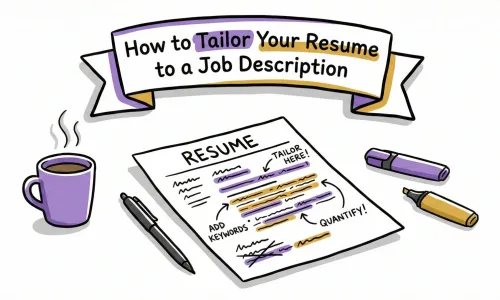


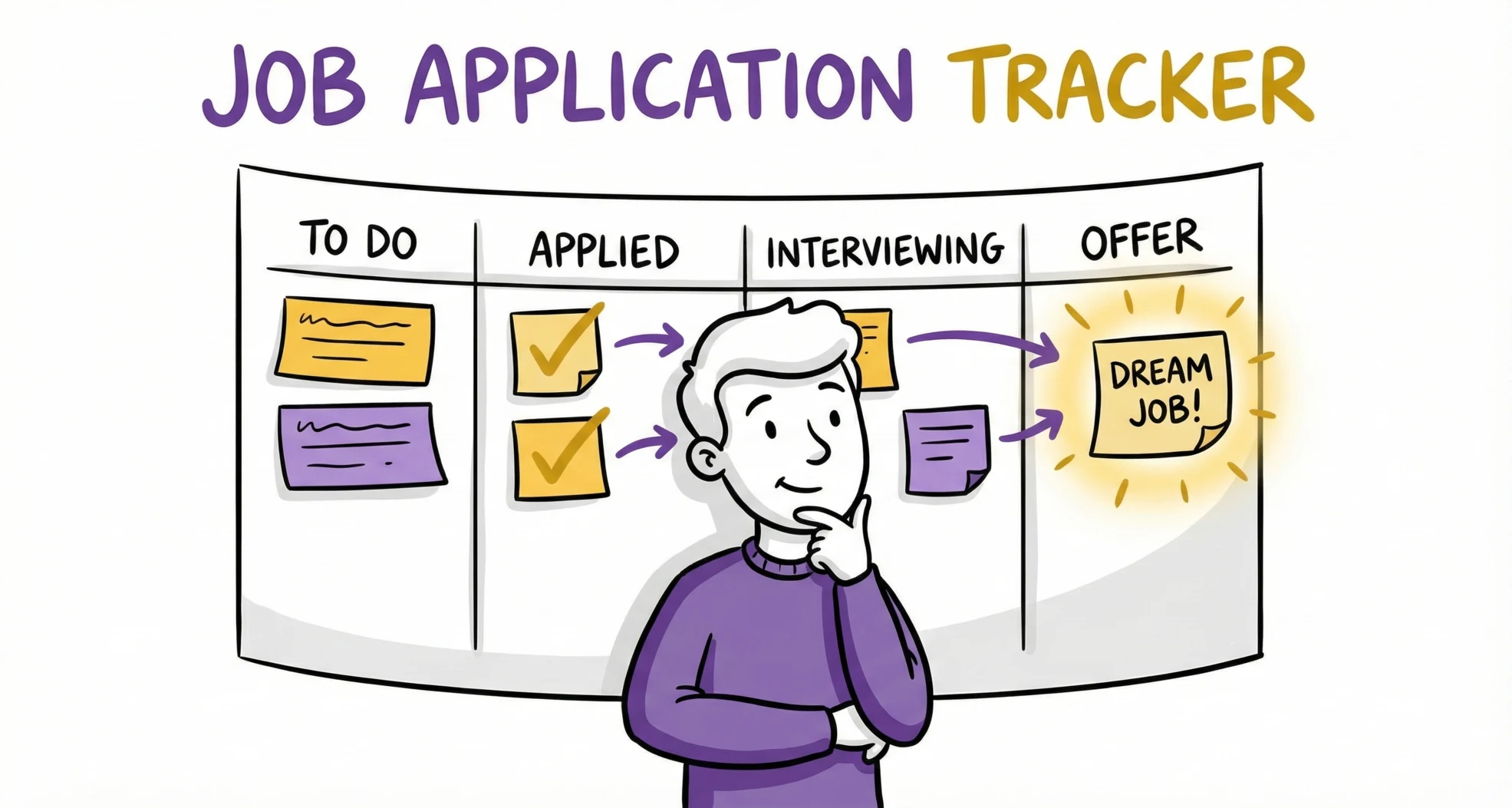
The phone rings. It’s a recruiter from "that tech company" you applied to last week. As they ask why you’re a perfect fit, you frantically search your email sent folder, realizing you have no idea which role they’re talking about. This panic is preventable. With a free Google Sheets job application tracker, you can instantly pull up the job description, your submitted CV, and your notes, turning a potential disaster into a confident interview.
In the modern job market, sending out five applications a day is common, but remembering the details of each one is impossible. Without a system, you risk applying to the same job twice, forgetting to follow up, or worse - mixing up company names during a screening call. A simple, well-organized template is your command center for a successful job search.
Why Use a Job Application Tracker Template for Your Job Search?
If you are serious about landing a new role, treating your job search like a project is essential. You wouldn't manage a complex work project without a timeline or status report, and your career move deserves the same level of organization. A simple yet effective system is key.
When you are juggling 20, 30, or even 50 active applications, the mental load can be overwhelming. Questions like "Did I apply to that startup on LinkedIn or Indeed?" or "Was the hiring manager's name Sarah or Sam?" become sources of unnecessary anxiety. A dedicated job application tracker template removes this cognitive burden, allowing you to focus your energy on interview prep rather than administrative scrambling. It helps job seekers stay organized and keeps every detail in one place.
Beyond just organization, a tracker helps you avoid "ghosting" yourself. We often complain about recruiters not replying, but candidates are guilty of it too - often accidentally. If you don't have a column for "Follow-Up" in your spreadsheet, valuable opportunities will slip through the cracks. A tracker serves as your personal assistant, providing follow-up reminders when it's time to send that polite nudge email that could get your CV back to the top of the pile.
Furthermore, a spreadsheet does more than store data; it reveals patterns in your job search. If you see that you have 50 "Applied" statuses but zero "Interviews," your CV likely needs work. If you are getting interviews but no offers, you might need to refine your interviewing skills. Tracking this metric turns a frustrating "black hole" search into a solvable puzzle. For more insights on why your applications might be stalling, read about why most CVs are invisible to ATS.
Using Google Sheets to Track Your Job Applications
We have designed a flexible, easy-to-use template that works for everyone, whether you are an Excel power user or just starting with using Google Sheets.
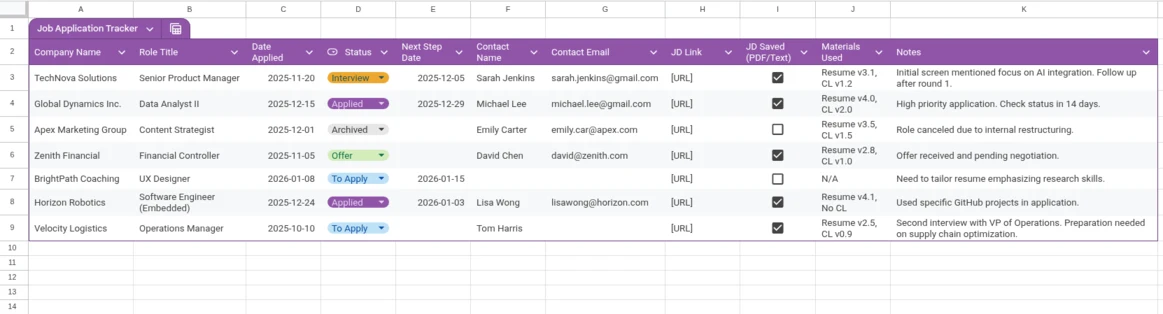
Once you have your copy, save it to your Google Drive and start by logging your active applications. Don't worry about backfilling every single job you applied to last month - just start fresh from today. Bookmark the sheet in your browser bar so it is always one click away. The goal is habit formation: apply, then log immediately so you can stay on top of the hiring process.
The heartbeat of your tracker is the "Status" column. You can sort and filter your spreadsheet by status to see which applications need attention. We have pre-filled it with these standard stages:
- To Apply: Jobs you’ve found but haven’t submitted yet.
- Applied: CV sent.
- Interview: You have landed an interview (phone or in-person).
- Offer: You received a job offer!
- Archived: The role is closed or you are no longer interested.
Creating a Job Application Tracker: Essential Columns
Creating a job application log from scratch can be intimidating, so we have curated the columns that matter most for an effective search.
Company Name & Role Title
These are the basics, but they are critical. Double-check the spelling of the company name immediately - you will need it for your cover letter and interview. A simple typo here can lead to embarrassing mistakes later.
Job Description Link & Text
Job posts often expire or are taken down once the interview process begins. While saving the link is good, we strongly recommend copying the full text of the job description into your Google Sheet or saving it as a PDF. When you get an interview three weeks later, you will need to reference the specific requirements they asked for, which might no longer be online.
Date Applied, Interview Dates & Contact Info
The "Date Applied" column is your clock; it helps you decide when to follow up. If it has been 10 days since this date with no response, it’s time for a check-in. Additionally, if you can find the name and email of hiring managers or the recruiter who posted the job, log it. Addressing your cover letter or follow-up email to a specific person significantly increases your response rate. You should also record interview dates to ensure you never miss a meeting.
Specific Materials Used
Did you send "CV_Final_v2" or "CV_Marketing_v3"? Did you write a custom cover letter? Note exactly which documents you submitted so you can print the correct versions for your interview. If you need help creating different versions, try our free AI CV rewriter to optimize for each role.
Next Steps / Follow-Up Date
This is your action column. If you apply on Monday, set a follow-up date for next Wednesday. Check this column every morning to see who you need to contact.
Manual Tracking Template vs. Automated Application Tracking
Is a simple Google Sheet the ultimate solution? It depends on your style. Application tracking can be handled in two main ways.
| Feature | Manual Spreadsheet | Automated Tools (e.g., Reztune) |
|---|---|---|
| Control | 100% Customizable | Structured workflow |
| Effort | High (Manual entry) | Low (Automated/One-click) |
| Integration | None | Links to CV builder & job analysis |
| Best For | Control freaks & Excel lovers | Efficiency seekers & volume appliers |
The Tracking Template approach is perfect if you want to create a job application tracker with total control and zero cost. It functions as a blank canvas where you can add columns, change colors, and customize data exactly how you like. However, it requires discipline. If you forget to log an application, the system fails.
The Job Tracking Automated Approach, using a platform like Reztune, handles the heavy lifting for you to streamline the process. It tracks where you applied, helps you tailor your CV for that specific role, and keeps everything in a visual dashboard. It’s less "data entry" and more "career management."
Upgrade Your Workflow: All-in-One Tracking with Reztune
While a spreadsheet is a great starting point, the modern job hunt requires speed and precision. Reztune offers an all-in-one solution that bridges the gap between tracking and doing.
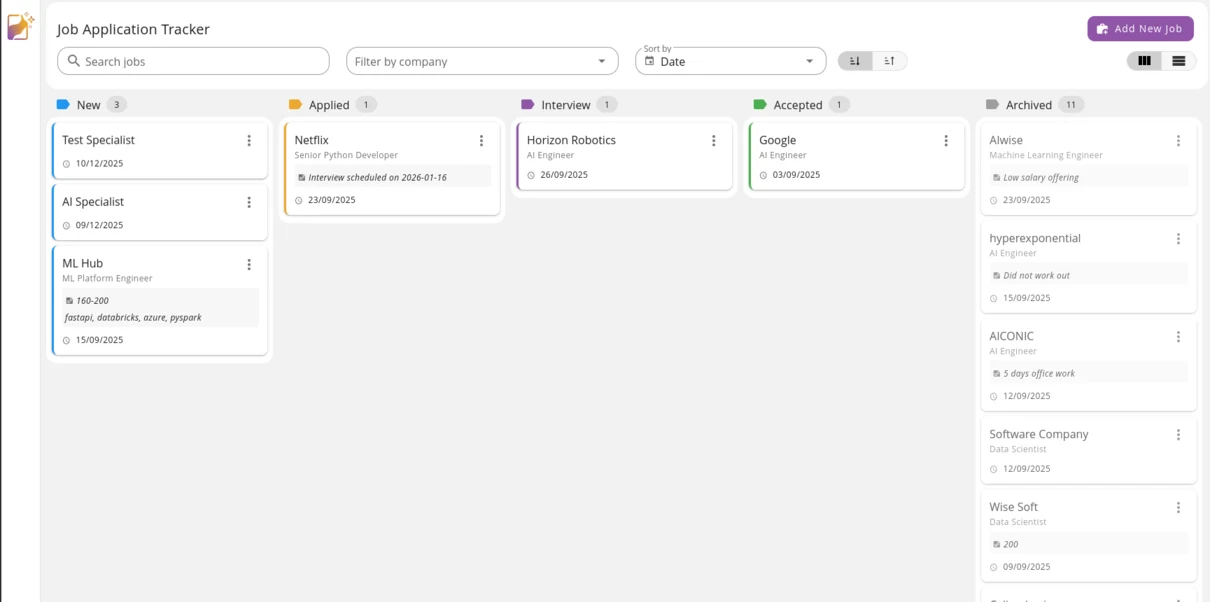
A spreadsheet tells you what you did, but Reztune helps you decide what to do next. It analyzes the job description you are tracking and highlights skill gaps in your current CV. Imagine tracking a job and instantly generating a CV optimized for that specific role within the same dashboard. Reztune’s AI rewrites your bullet points to match the job's keywords, significantly increasing your chances of turning "Applied" into "Interview." Learn more about how to write a targeted CV that gets interviews.
Additionally, you can ditch the endless rows and columns. Reztune provides a clean, Kanban-style board to drag and drop applications through stages, giving you a clear, visual roadmap of your progress.
How to Track Your Job Search Strategy Beyond the Spreadsheet
A tracker is an useful tool, but you need a strategy to wield it effectively.
Set Daily Goals
Instead of aiming for a high volume of applications, shift your focus to setting daily, quality-driven goals. A practical strategy is to find three high-quality roles each day, tailor your CV specifically for them, and log these details in your tracker spreadsheet. This approach prioritizes quality over quantity, ensuring that everyone can keep track of opportunities rather than just creating another row in a spreadsheet.
The "Follow-Up" Rule
Recruiters are busy, and silence doesn't always mean rejection. A polite follow-up email shows persistence, not desperation. Use your tracker to enforce a "7-10 day rule." If you haven't heard back in a week and a half, send a short note reaffirming your interest. This simple habit can reignite a stalled application and boost your chances.
Analyze Your Funnel
Make it a habit to look at your tracker every Friday to assess your success rates. If you have too many jobs in "To Apply," stop browsing and start writing. If you are stuck at "Applied," your CV might not be passing the ATS. This is a clear signal that you need to tailor your CV to the job description more effectively. If you are stuck at "Interview," you are qualified, but your interview skills need polish.
Frequently Asked Questions (FAQ)
What is the best way to keep track of job applications?
The best way to keep track of job applications depends on your volume. For 1-2 applications a week, a simple list works. For serious job seekers, a dedicated Google Sheets job application tracker or an automated system like Reztune is essential to prevent missed opportunities and track follow-ups.
Where can I find a free Google Sheets job application tracker?
You can download our free Google Sheets job application tracker using the link provided in this article. It is pre-formatted with essential columns like Company, Status, and Date Applied, so you can start organizing your search immediately without building a sheet from scratch.
How do I create a job search organizer in Excel?
To build your own job search organizer, open a new Excel workbook and create headers for Company, Job Title, URL, Date Applied, Status, and Follow-Up Date. Use "Data Validation" to create dropdown menus for the Status column (e.g., Applied, Interview, Archived) to keep your data clean and sortable.
Can I use an online job application tracking system instead of a spreadsheet?
Yes, using an online job application tracking system like Reztune is often more efficient. Unlike a static spreadsheet, Reztune automatically organizes your applications and integrates with CV tailoring tools, allowing you to manage your entire job search strategy in one dashboard.
Conclusion
The difference between a frantic job search and a successful career move often comes down to organization. By downloading this free job application tracker spreadsheet, you are taking the first step toward reclaiming control over your future.
Take Control Today Download the template, fill in your active applications, and breathe a sigh of relief. You have a plan.
Level Up Tomorrow When you are ready to speed up your search, don't just track - optimize. Reztune automates the tedious parts of the job hunt so you can focus on landing the offer.